Short answer
LCD signage is best when a wall needs bright motion, video, and frequent attention; color E-Ink signage is better when a wall should feel calm, consume near-zero power, and read like framed print while still being remotely managed. The decision is less about which display is universally better and more about the job of the wall: attention capture favors LCD, while quiet managed presence — hotel lobbies, galleries, meeting rooms, premium retail, elevators and community spaces — favors color E-Ink. The economics differ sharply too: ePaper uses up to 99% less energy and typically installs without any electrical work.
Key facts
- Color E-Ink holds a static image with zero power between refreshes; Samsung's 32" EMDX e-paper sign draws under 0.005 W in static operation.
- E Ink Corporation states ePaper signage uses up to 99% less energy than comparable LCD/LED signage for daily-update content.
- LCD remains stronger for video, animation, and high-brightness advertising; it requires mains power and active cooling at larger sizes.
- Battery e-paper signs install like framed prints — no conduit, no electrician, no outlet constraint on placement.
- B2B content value comes from scheduling, maintenance, and refresh workflows, not only display hardware.
The technology gap in one paragraph
LCD emits light through liquid crystals refreshed sixty times a second; ePaper physically moves pigment particles that then stay put without power. Everything else follows: LCD needs continuous power, generates heat, and glows; ePaper is bistable — the image is latched in the pigment itself, exactly like ink on paper. Modern color panels (E Ink Spectra 6) render roughly 60,000 print-like colors and refresh a full image in about 12 seconds, which is irrelevant for a poster that changes daily and disqualifying for video. For the consumer-frame version of this comparison, see our guides to how e-ink picture frames work and e-paper frames vs digital photo frames.
Side-by-side for B2B teams
| Decision point | Color E-Ink signage | LCD signage |
|---|---|---|
| Viewer experience | Quiet, paper-like, good for long dwell time | Bright, attention-grabbing, better for motion |
| Content rhythm | Daily, weekly, seasonal or campaign refresh | Real-time video, promotions, motion loops |
| Power | Battery/solar; zero draw on static image | Mains, continuous draw, cooling at size |
| Installation | Picture hook; no electrical work | Power runs, conduit, mounting hardware |
| Daylight behavior | Gains contrast in bright light | Fights glare; needs high nits |
| Night behavior | Dark like print (optional front light) | Glows; needs scheduling to dim |
| Sizes today | 13.3" / 25.3" / 31.5"; up to 75" shown at NRF 2026 | 10" to video walls, any size |
| Space fit | Hotels, galleries, offices, classrooms, premium retail, elevators | Malls, transport hubs, QSR menus with video, outdoor ads |
Sources: E Ink Spectra 6 specifications (eink.com); Samsung EMDX product pages; einksmart deployment experience, 2026.
Energy and wiring: where the budget actually moves
The headline saving is electricity — up to 99% less for daily-update content — but the larger line item is often installation. A mains-powered LCD sign needs a power run to every position: conduit, an electrician, sometimes a permit, multiplied by every wall in the fleet. A battery ePaper sign hangs where the content should be, not where the outlet is. E Ink's sustainability documentation notes that ePaper's refresh-only power draw is small enough that small solar panels can run outdoor signs entirely off-grid — the model Papercast uses for bus-stop displays. Samsung quantifies the static draw of its 32" EMDX at less than 0.005 W.
What does that mean per sign per year?
A 24/7 LCD sign consumes hundreds of kilowatt-hours a year; an ePaper sign updating a few times daily consumes roughly the energy of charging a phone. Across a 50-wall hotel or a 200-screen retail estate, that difference compounds into real operating cost and into ESG reporting — increasingly the deciding factor in European tenders, as trade coverage at invidis documents.
Where color E-Ink makes sense
Choose color E-Ink when the display should become part of the room. The pattern across our deployments and partner pilots:
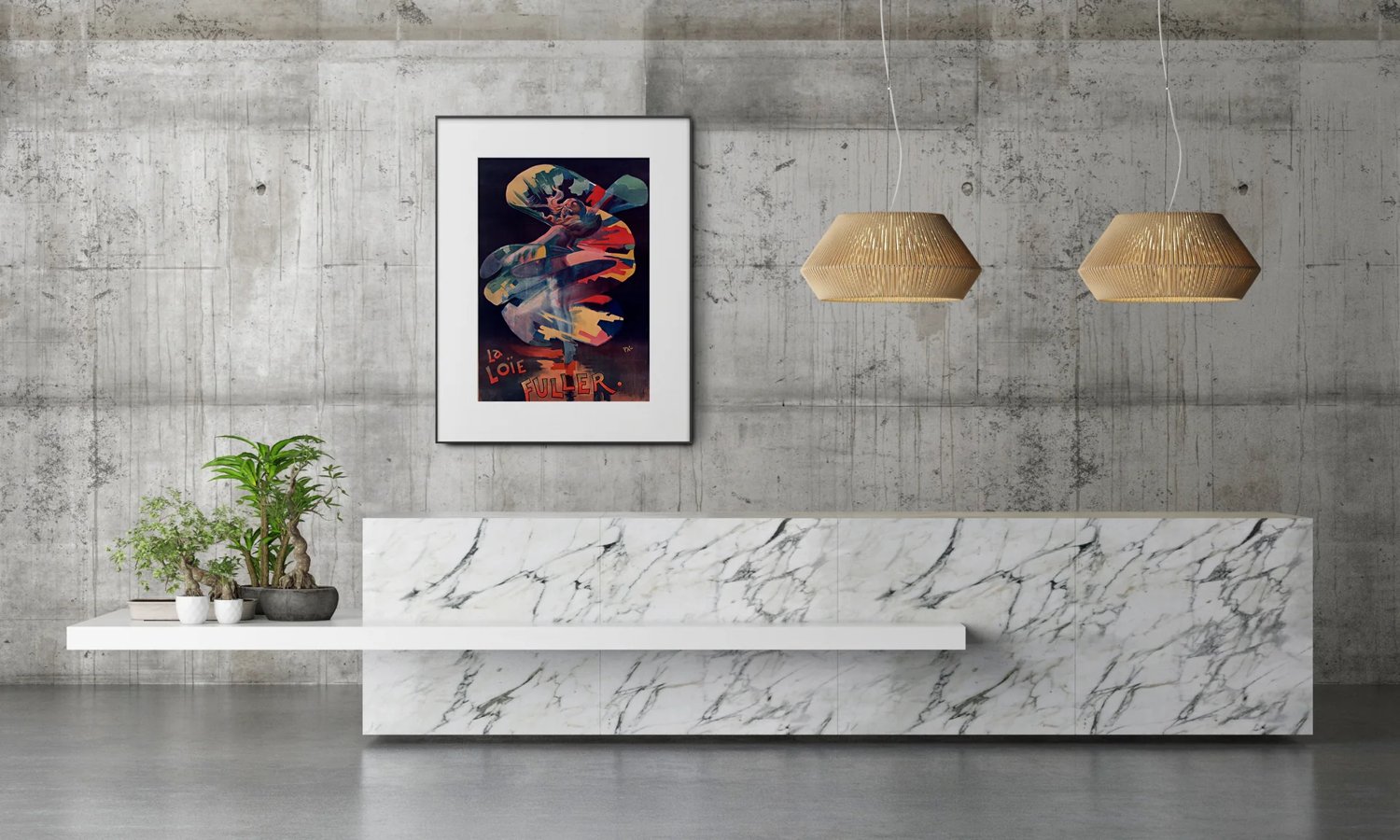
- Hotel lobbies and corridors. Rotating art and event schedules that read as framing, not screens — our hotel lobby content wall playbook details the workflow.
- Galleries and museums. Edition previews and exhibition labels with print aesthetics and central scheduling.
- Offices and meeting rooms. Room schedules, KPIs and culture walls without another glowing rectangle — the niche Visionect/Joan built.
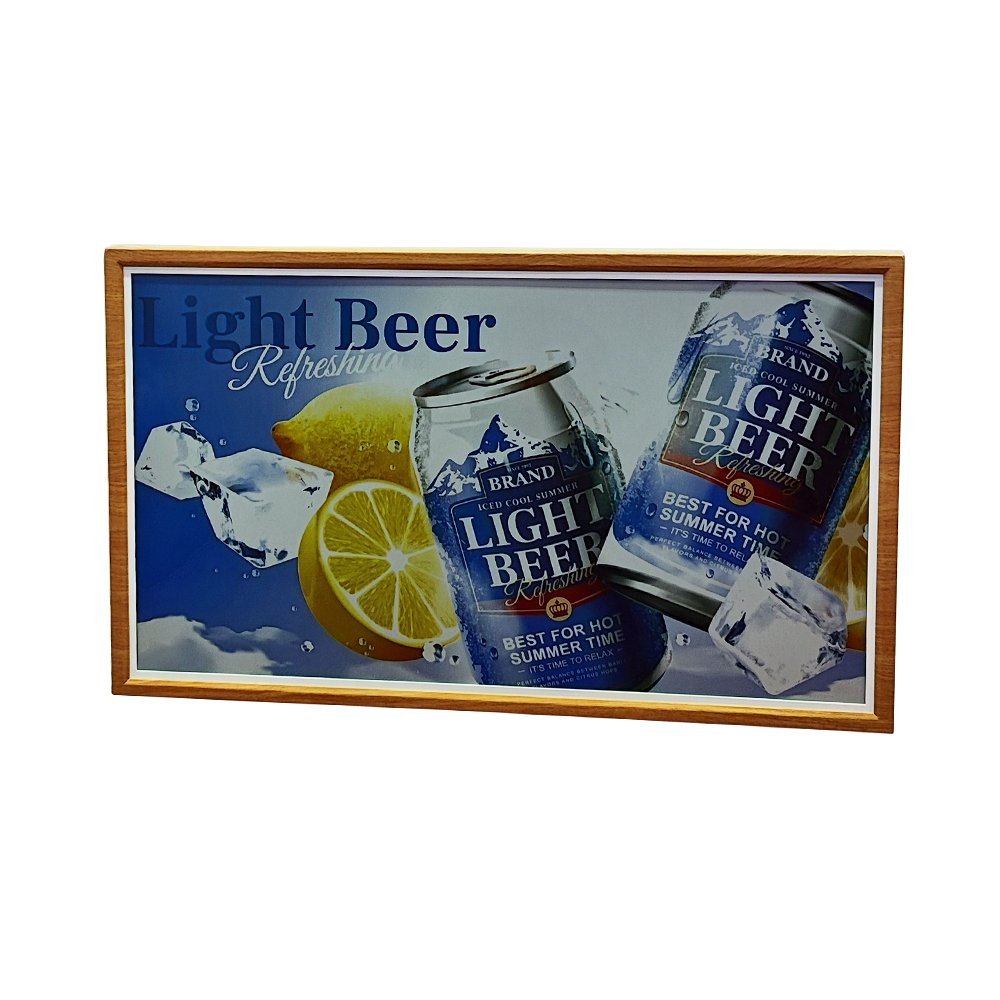
- Premium retail. Campaign posters swapped remotely each week; daylight-readable in windows where LCD fights glare.
- Education. Low-distraction prompts and schedules in classrooms.
- Elevators and community spaces. Battery ePaper posters reach walls where running mains power is impractical — a fast-growing placement in residential and office towers.
Six signage jobs, scored
| Job | Winner | Deciding factor |
|---|---|---|
| Hotel lobby art / event board | E-Ink | Aesthetics + no cabling on feature walls |
| QSR menu with video appetite loops | LCD | Motion sells; mains power already present |
| Meeting-room schedule | E-Ink | Battery install at every door; calm interior |
| Mall atrium campaign | LCD | Brightness war, video creative |
| Elevator / residential notice poster | E-Ink | No power at the wall; months of battery |
| Retail window promo (daylight) | E-Ink | Reflective wins in sun; weekly campaign rhythm |
Source: einksmart deployment experience and partner pilots, 2025–2026.
Where LCD keeps the wall (and should)
Video menus, live feeds, transit departure boards, outdoor brightness wars and anything animated: LCD, without apology. A quick-service restaurant running appetite-appeal video, a mall atrium ad loop, a sportsbook wall — these are attention businesses, and emitted light plus motion is the correct tool. The honest boundary: if the content must move or must outshine sunlight with sheer nits, specify LCD; if the content is a poster that happens to change, ePaper now does it better and cheaper. Mixed estates are increasingly the norm — LCD at the entrance, ePaper everywhere content dwells.
What changed in 2025–2026 to make ePaper signage viable?
Three unlocks landed in quick succession: print-grade color, mainstream vendors, and fleet software. For a decade, ePaper signage meant grayscale room labels and bus stops — useful, niche. The current wave is different in kind:
- Spectra 6 color (2024–2025). Roughly 60,000 print-like colors and a ~64% wider gamut than the previous generation moved ePaper from "labels" to "posters and art". E Ink's Ripple waveform then cut the visible flashing during refreshes — the tell that most bothered brand teams.
- Samsung's entry (2025–2026). When the world's largest signage vendor ships a color e-paper line (EMDX, 13" and 32") integrated with its VXT CMS, procurement risk collapses: there is now a tier-one throat to choke.
- Large formats and ecosystem (2026). NRF and ISE 2026 showed ePaper up to 75", plus a unified ecosystem of drivers, mounts and CMS integrations from partners including Vusion, SoluM and Hanshow — the supply chain a rollout actually needs.
The practical consequence: an estate manager can now specify color ePaper for the calm half of a signage fleet without betting on a startup's roadmap.
The four objections signage integrators raise — answered honestly
"It refreshes too slowly for signage."
True for motion, irrelevant for posters. A ~12-second full refresh disqualifies video and dayparted menu animations. It is invisible for content that changes hourly or daily — the viewer almost never witnesses the transition, and scheduled refreshes can run at closing time.
"It's not bright enough."
Reframe: it doesn't emit, it reflects. In daylight and normal room lighting, reflective ePaper is more readable than LCD fighting glare. The genuine limitation is a dim corridor with no ambient light — solve it with a picture light, exactly as a framed print would need, or specify a front-lit unit.
"Color looks muted next to LCD."
Side by side, yes; in situ, the comparison flips. Spectra 6 saturation is print-grade, not backlit-grade. On a wall among real materials — wood, stone, paper — the print-grade image belongs; the backlit one shouts. Brand teams consistently approve ePaper proofs once shown in the room rather than on a lab bench.
"Our CMS won't drive it."
Increasingly false. Samsung EMDX runs under VXT; independent ePaper fleets expose APIs and scheduled-playlist models identical in logic to signage CMS. Our own platform layer renders any campaign asset into the panel's palette server-side, so creative teams keep their existing workflow.
Total cost of ownership: a 5-year sketch per wall
| Cost line | Color E-Ink (31.5" battery) | LCD (32" commercial) |
|---|---|---|
| Hardware | Higher upfront (panel premium) | Lower upfront |
| Installation | Picture-hang; no electrical work | Power run + electrician per position |
| Electricity (5 yrs, 24/7) | ≈ a few kWh total | Hundreds of kWh per year |
| Cooling / heat load | None | Adds to HVAC in dense estates |
| Maintenance | Battery charge/swap cycles | Backlight aging, fan/PSU failures |
| CMS / content ops | Comparable — scheduling platform either way | Comparable |
Sources: Samsung EMDX specifications; E Ink sustainability documentation; einksmart installation experience, 2026. Exact figures vary by market and estate size.
Deployment checklist for ePaper signage pilots
- Audit content rhythm first. List every wall and how often its content truly changes. Walls under a few changes per day are ePaper candidates.
- Confirm panel generation and size. Spectra 6 for color work; 13.3" for labels and menus, 25.3"–31.5" for posters.
- Plan the fleet workflow. Scheduling, template governance and multi-site rights matter more than the glass — this is the layer our content platform and solutions are built around.
- Pilot the hardest wall. Pick the position furthest from power — where ePaper's advantage is largest — and measure installation time saved.
- Set battery SOPs. Quarterly charge rounds folded into existing facilities walks.
- Measure dwell response. Calm surfaces are read longer; capture it for the business case (our partners pair this with footfall analytics from Pyroglaux).
Market outlook: why procurement teams are moving now
E-paper is one of the fastest-growing display categories, with analysts projecting roughly 30% annual growth through the late 2020s — driven by retail labels, frames and, increasingly, signage. At NRF and ISE 2026, E Ink and partners showed large-format ePaper up to 75", and Samsung's entry with EMDX signals mainstream B2B adoption:
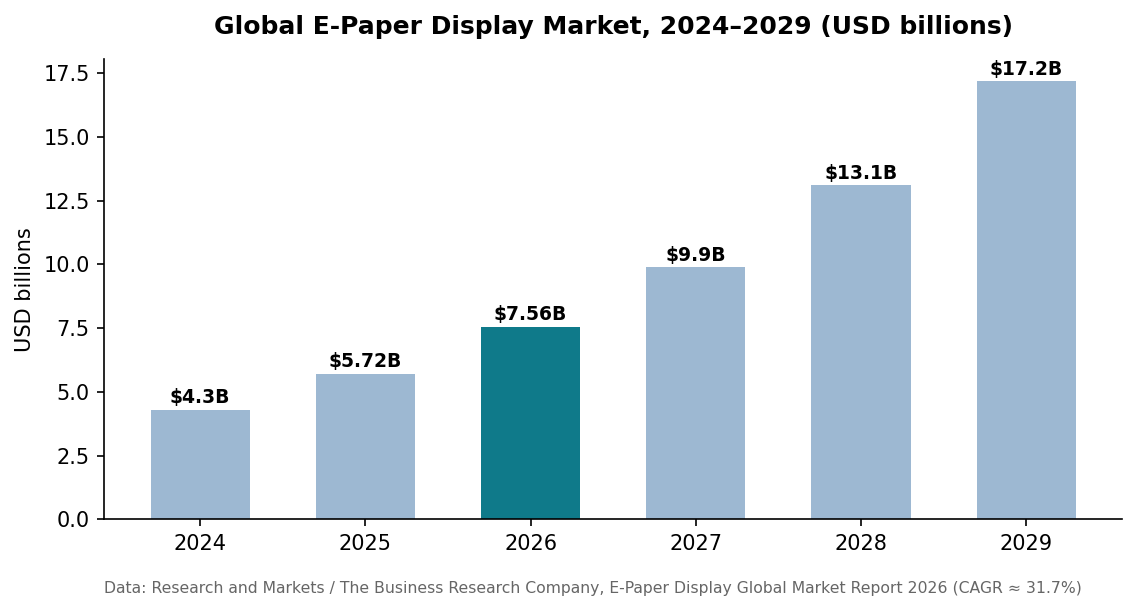
For B2B buyers this means falling panel prices, multiple hardware vendors, and CMS ecosystems consolidating — the classic signals that a technology is safe to standardize on. Partner with us early via the einksmart partner program or talk to our team about a pilot estate.
FAQ
Can color E-Ink replace every LCD sign?
No. It is not the right tool for video-heavy or high-motion advertising. It replaces static posters, wayfinding, menus, schedules and art walls.
How much energy does E-Ink signage save versus LCD?
Up to 99% for daily-update content, per E Ink; Samsung's 32" EMDX draws under 0.005 W holding a static image.
Does E-Ink signage need power cabling?
Usually not — battery units run months per charge and hang like framed prints; outdoor units can run on small solar panels.
Is color E-Ink bright enough for retail windows?
In daylight, yes — reflective ePaper gains contrast where LCD washes out. Dim interiors need room lighting, like any print.
What content management do e-paper signs use?
Scheduled playlists over Wi-Fi or cellular, same logic as signage CMS. einksmart provides a managed platform; Samsung EMDX integrates with VXT.
Why does this distinction matter for buyers?
It keeps the decision clear: einksmart is about managed, calm content surfaces for spaces where the wall should feel curated, not generic screen signage.